To request time off, open the menu and visit the Availability page.
From the availability page you will be able to view all time-off requests you have submitted and if they have been Approved or Declined by a manager.
Please note that if you have submitted a request, it does not guarantee that you will not be booked during the requested period.
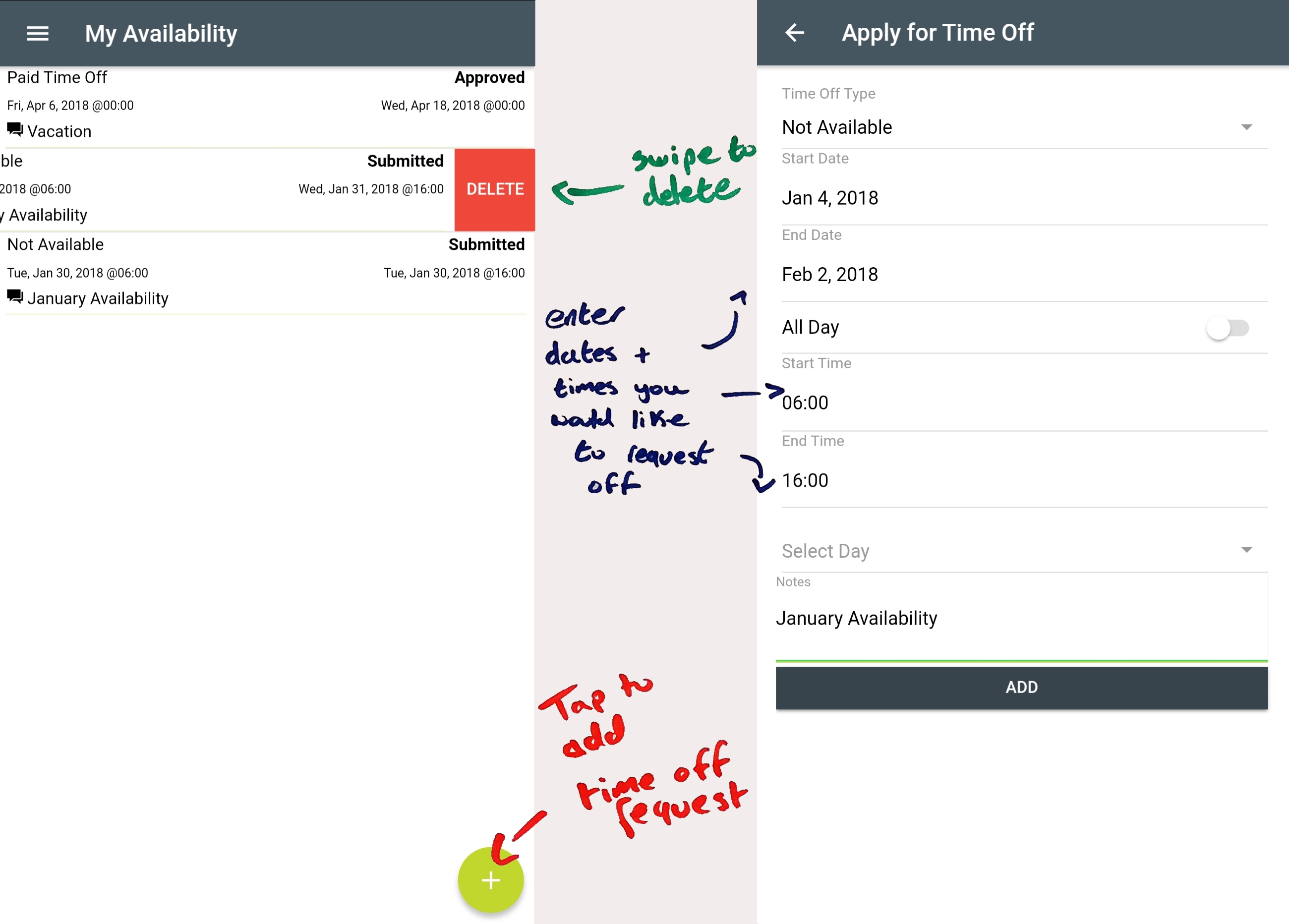
There are different types of time off requests users may submit. Please note that some choices will not always be available depending on the employer:
Unavailable - If you are unavailable to work specific dates, simply enter the start and end date you are not available to work.
Not Available - If you are not available to work specific hours over a period of time, use this type of request. Select the date range you would like to apply the request to, then switch off the 'All Day' selection if you would like to submit times of the day you will be unavailable to work. You can apply these requests to each day within the date range or specific days of the week you are unavailable to work.
Eg. You can submit a request to be unavailable between 9AM and 12PM for each Saturday between Jan 01 & Jan 30.
Other - Employers may add alternative options for time off requests. Please contact a manager for a description of their different types of requests.